
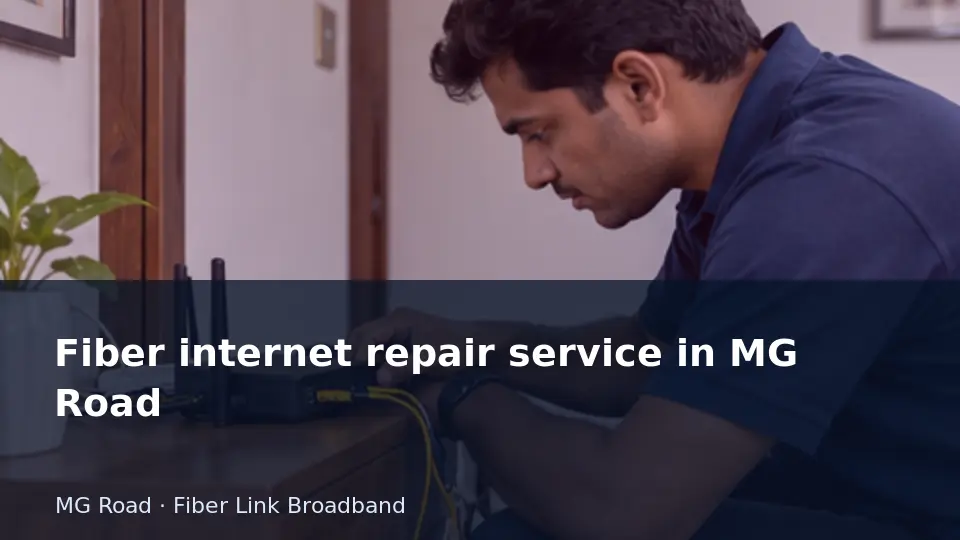
If only one phone fails while a wired computer works, the evidence points away from a complete line outage. Narrowing the scope saves unnecessary resets.
This guide is for readers planning or reviewing a connection in MG Road. It separates the decision you can make now from details that need an address-specific reply. The examples describe checks you can perform or discuss with the installer; they are not reports of a customer installation, measured local speeds or a promise that every nearby building is serviceable.
Create evidence that support can use
The most useful fault report says what failed, when it began and how broadly it affects the connection. Distinguish one device, one room and all devices. Note whether the optical terminal is powered and describe its labelled indicators without guessing their meaning. If a safe wired comparison is possible, include that result as well as the wireless symptom. Use the model's instructions or the provider's guidance for any restart.
Keep an account reference and a ticket number, but never include passwords, one-time codes or unrelated private information. A normal restart should not be confused with a factory reset, which can erase configuration and complicate diagnosis. For an intermittent issue, timestamps and recovery times help more than repeated vague messages. Update the existing ticket when new evidence appears, and ask for the next action or update time. If a physical fiber route looks damaged, leave connectors and repairs alone and arrange professional attention. An organised report cannot guarantee immediate repair, but it removes avoidable uncertainty from the investigation.
Interpret speed measurements before acting on them
A speed result reflects the entire test path, including the device, local interface, router, provider network and test server. If any part has a lower capacity, the final number can be lower than the subscription headline. Begin with a suitable device and a known working wired link where possible. Record the server and pause unrelated transfers for a baseline, then separately test the real busy-hour workload.
Pay attention to units. Network rates are commonly stated in megabits per second, while a download application may show megabytes per second. Dividing bits by eight gives an ideal conversion before overhead. Upload and download should also be recorded separately. A higher download tier does not establish an equal upload rate, a lower latency or better room coverage. Choose an upgrade when the evidence shows that the additional capacity addresses the actual bottleneck. Obtain the current offer for the exact address rather than treating a historical page or a search keyword as proof of availability.
Prepare a concise ISP contact message
A useful first message identifies the account and the symptom without exposing passwords. It should distinguish a new enquiry from an active-service fault.
Record before deciding: Include the service reference, address, start time and safe diagnostic results and ask for a ticket number.
Read terminal lights before reporting a fiber fault
The optical terminal's indicators can provide useful clues, but labels vary by model. A clear photo and the equipment model help support interpret them.
Record before deciding: Report the indicator labels and colours without unplugging or looking into the optical connector; follow the provider's instructions.
Report an intermittent fault with timestamps
An intermittent connection can appear normal when support tests it later. A time-based record gives the team a better chance of matching the symptom to network events.
Record before deciding: Note start and recovery times, terminal indicators and whether both wired and wireless devices were affected.
Escalate a recurring fault using its history
A recurring issue deserves a summary of previous incidents rather than a fresh disconnected story each time. A concise history makes the pattern visible.
Record before deciding: List ticket numbers, dates, fixes attempted and recurrence conditions and request a review of that pattern.
Keep a first-evening baseline after activation
The first normal evening is a useful time to record how the connection behaves with real household use. That record can support later fault comparisons.
Record before deciding: Save the plan, equipment model, wired result and a few room tests without treating one result as a permanent performance guarantee.
Resolve installation WiFi issues before adding equipment
A newly installed line may work while a device is joined to the wrong network or placed in a weak room. Start with basic configuration and coverage checks.
Record before deciding: Confirm the network name, test beside the router and compare the affected room before purchasing a repeater.
Survey a large home room by room
A single speed test beside the router cannot show coverage across a large home. Furniture, walls and device differences make a room-level survey more useful.
Record before deciding: Use the same device in each room, note the band and test a normal activity as well as a speed measurement.
Decide whether 100 Mbps fits a small household
A modest plan can be adequate when the busiest hour includes only a few ordinary activities. Device count alone is a poor basis for choosing.
Record before deciding: List simultaneous calls, streams and large transfers, then assess the plan against that actual overlap.
Distinguish street coverage from address approval
A locality can be within a service area while a particular property remains unconfirmed. Online coverage language should not replace the physical feasibility check.
Record before deciding: Ask whether the reply covers your building, floor and entry route, and keep the enquiry reference.
Check the support path offered by a local company
Being local does not automatically define response times or escalation. Ask how a fault is logged and how updates are communicated.
Record before deciding: Record the official support route and any written commitment instead of relying on an informal promise during signup.
Compare a 200 Mbps upgrade using the same test setup
Changing the test device or server at the same time as a plan makes the comparison unreliable. Keep the conditions consistent to understand what improved.
Record before deciding: Record the pre-upgrade baseline and repeat the same test afterwards, including the household task that motivated the change.
Ask who owns an unresolved support request
Local contact can be helpful, but a fault needs a record that survives a change of staff. An official ticket makes follow-up clearer.
Record before deciding: Request a reference number and a next-update time and keep the symptom history in the same thread.
Keep local smart-home controls usable during an outage
Some devices communicate locally while others depend on an internet service. A broadband interruption can therefore affect two apparently similar devices differently.
Record before deciding: Disconnect only the internet link for a planned test and document which essential controls still work locally.
Measure useful speed without claiming the fastest provider
A local fastest-provider claim requires comparable evidence that a single household test cannot supply. Focus on whether the connection meets your own needs.
Record before deciding: Record repeatable results for your address, equipment and time of day instead of generalising them to an entire locality.
Choose between 2.4 GHz and 5 GHz using a room test
A device may work faster near the router on 5 GHz but stay connected farther away on 2.4 GHz. The result depends on the device, obstacles and interference.
Record before deciding: Test the same task on both bands from the room that matters; record reliability as well as the speed result.
Read equipment responsibility before choosing a provider
Fault handling depends partly on who supplies and manages the terminal, router and added access points. Ambiguous ownership can delay repairs.
Record before deciding: List each device and ask who diagnoses, replaces and pays for it under the proposed arrangement.
Use a PIN code as a starting point for an address check
A PIN code covers more than a single building. Requests for 110030, 110068 or 110074 need the exact location before service can be confirmed.
Record before deciding: Provide the full address and map pin and request current feasibility; do not infer coverage for every property sharing the code.
Use the guide for your address
For MG Road, send Fiber Link Broadband the complete building address, floor and map pin when requesting feasibility or a current quotation. Mention the particular requirement covered by this article so the reply can address your use case. Ask for the service scope, equipment responsibilities and complete payable amount in writing. Retain the response alongside your installation or support record, and revisit any unanswered point before committing to a longer payment period.
Contact 9971524677 or 9990881098. Review the published plan information and request an address check. Current availability and terms need confirmation.
All Fiber Link broadband plans
Compare the monthly plans listed on our broadband plans page.
| Plan | Speed | Monthly price | Included benefits | Availability |
|---|---|---|---|---|
| Fiber Start | 100 Mbps | ₹499/month | Unlimited data, free installation, 24×7 customer support | Enquire |
| Fiber Plus | 200 Mbps | ₹699/month | Unlimited data, free installation, 24×7 priority support | Enquire |
| Fiber Pro | 300 Mbps | ₹799/month | Unlimited data, free installation, 24×7 priority support | Enquire |
| Fiber Ultra | 500 Mbps | ₹1,699/month | Unlimited data, free installation, 24×7 priority support | Enquire |
Router and billing terms: 5G dual-band Wi-Fi router refundable security applies. Confirm the deposit, applicable taxes, billing period, complete first payment and installation feasibility for your address before booking. Terms apply.
Business leased line: Custom bandwidth, equal upload and download speeds, SLA-backed uptime, static IP options and priority local support. Call 9971524677 for a custom quote.