
Fiber Internet for Homes in Lane No. 4 Extension, Westend Marg serves homeowners, tenants and families in the extension lane. A locality may be covered while an individual unit still needs a physical route survey.
This page explains how to request Fiber Link Broadband around Westend Marg, how to compare the ₹499, ₹699 and ₹799 monthly plan references, and how to avoid common installation or Wi-Fi mistakes. Call or WhatsApp 9971524677 for current address-level confirmation.
A building-by-building availability check
An extension-lane search where house numbering, approach road and cable distance require careful verification. Share the real entrance rather than a nearby landmark pin.
The local check focuses on whether fiber can reach the requested unit without unsafe crossings, crushed cable or sharp bends. Before any date is fixed, send the Lane No. 4 Extension map pin, house number, floor and nearest permanent landmark.
Plan selection by activity
- Calls and classes: 100 Mbps can be sufficient when usage is light and Wi-Fi is strong.
- Family streaming plus office work: 200 Mbps is often the balanced tier.
- Many rooms and busy evenings: 300 Mbps creates more shared capacity, especially with proper access points.
Recommended comparison point: 200 Mbps (₹699/month) for families, shared flats, work from home and simultaneous entertainment.
Six questions to answer before drilling
- Is this the correct entrance to Homes in Lane No. 4 Extension?
- Which floor or room receives the service?
- Who permits the common cable path?
- Can the cable avoid a door gap or exposed walkway?
- Where are power and ventilation available?
- Which rooms must pass the final Wi-Fi test?
A clean route for a rented home
An extension-lane search where house numbering, approach road and cable distance require careful verification. The expected usage is a deeper residential property with front and rear rooms that cannot be covered reliably from the entrance.
Consider a wired access point when the home is deep, multi-level or divided by an open courtyard. For another floor, prefer Ethernet backhaul or a separate access point rather than hoping signal will cross reinforced ceilings.
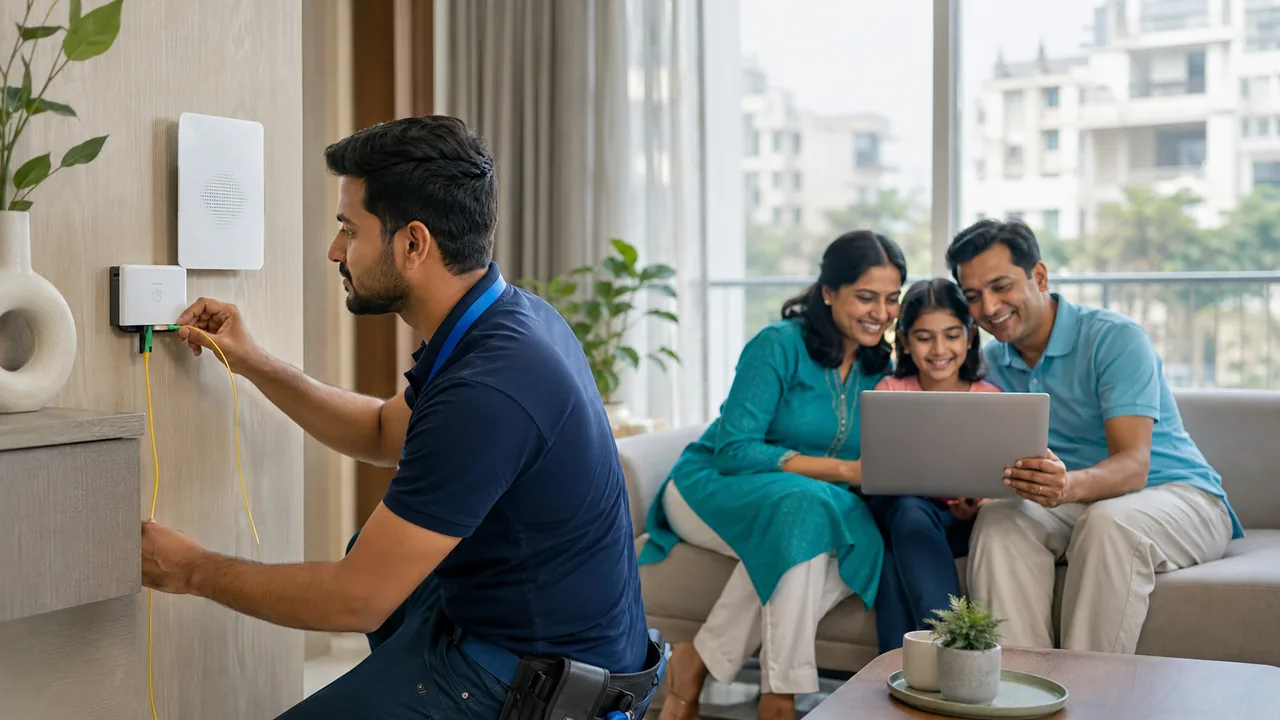
Keep the optical device within the occupied unit and agree on any drilling or common-area clips with the owner.
A realistic internet day at Homes in Lane No. 4 Extension
People searching for service at Homes in Lane No. 4 Extension are usually not asking for a generic locality answer. They need a plan for homeowners, tenants and families in the extension lane, with the key condition being an extension-lane search where house numbering, approach road and cable distance require careful verification.
Consider the representative demand: a deeper residential property with front and rear rooms that cannot be covered reliably from the entrance. During that period, download capacity, upload stability, latency and local Wi-Fi contention all affect the experience.
For Wi-Fi distribution, consider a wired access point when the home is deep, multi-level or divided by an open courtyard. The final test should include the farthest important room, not only the area beside the optical device.
The booking instruction is to send the Lane No. 4 Extension map pin, house number, floor and nearest permanent landmark. Add “Homes in Lane No. 4 Extension” and “Westend Marg” in the same message so the field team can distinguish this request from similar local listings.
Property-specific summary: Homes in Lane No. 4 Extension - Westend Marg - homeowners, tenants and families in the extension lane. Expected peak: a deeper residential property with front and rear rooms that cannot be covered reliably from the entrance.
How to validate the finished connection at Homes in Lane No. 4 Extension
The local plan for Homes in Lane No. 4 Extension should be written around homeowners, tenants and families in the extension lane. Because an extension-lane search where house numbering, approach road and cable distance require careful verification, the installer and customer should agree on the route and the indoor coverage target before fixing equipment.
Validate the plan at 7:30–11:00 PM. The test inventory can include 4 smartphones, 2 computers, 2 television streams, 2 surveillance feeds and 1 gaming console, matching the demand pattern of a deeper residential property with front and rear rooms that cannot be covered reliably from the entrance.
| Test point | Purpose at Homes in Lane No. 4 Extension | Pass condition |
|---|---|---|
| front unit | Confirm the route after you send the Lane No. 4 Extension map pin, house number, floor and nearest permanent landmark | Fiber is protected, labelled and not trapped by a door |
| middle corridor | Apply the indoor plan: consider a wired access point when the home is deep, multi-level or divided by an open courtyard | Stable nearby 5 GHz or Ethernet baseline |
| farthest occupied room | Recreate the peak: a deeper residential property with front and rear rooms that cannot be covered reliably from the entrance | Calls, streams or work remain usable without repeated drops |
| support record | Save Homes in Lane No. 4 Extension, Westend Marg, plan and equipment details | Customer can identify the connection and report a fault clearly |
Use the same test device at middle corridor and farthest occupied room so the result is comparable. Record whether the device used 2.4 GHz, 5 GHz or Ethernet and whether doors were open or closed.
What should be written before payment
- Selected speed and monthly validity
- Installation amount
- Router and refundable-security terms
- Address and approved cable route
- Activation and support contact
Good provider selection considers upload stability, latency, fault response and Wi-Fi guidance—not download Mbps alone.
Send one complete WhatsApp message
Copy this format: “Fiber check for Homes in Lane No. 4 Extension, Westend Marg. My exact entrance is ____. Unit/floor: ____. Nearest landmark: ____. Map pin: ____. Owner or manager permission: ____. Main use: ____.”
A complete message lets the local team judge whether a visit is useful. Sending only “near Westend Marg” or a property name can lead to the wrong branch, gate or floor.
Add a short note about the intended router room. That helps the cable route finish at a practical indoor point instead of stopping beside the entrance.
Ready to Get
Connected?
Pick your speed. Share your area. Let’s get you connected. Complete the form, then send your enquiry to our local team on WhatsApp.
For Homes in Lane No. 4 Extension, message 9971524677 with one complete address bundle. Ask for feasibility, plan, installation and equipment terms.
Installation remains subject to a safe cable route and current network availability. Do not pay on the assumption that a locality-level listing guarantees the requested unit.
Share the exact premises
Include the property, lane or landmark, floor, map pin and intended use.
WhatsApp 9971524677Call for New ConnectionQuestions people ask about Homes in Lane No. 4 Extension
How do I confirm broadband availability for Homes in Lane No. 4 Extension?
Availability is verified for the specific unit, not only the locality. Share Homes in Lane No. 4 Extension, the floor, access point and live location on WhatsApp 9971524677.
Which plan should users at Homes in Lane No. 4 Extension start with?
A practical starting point is 200 Mbps; confirm simultaneous calls, streams, gaming, cameras and the Wi-Fi layout before finalising.
Why can one bedroom have weaker Wi-Fi?
Concrete walls, closed doors, distance and metal furniture reduce signal. Reposition the router or add a wired access point for the weak room.
Do tenants need owner or caretaker permission?
Permission may be required for drilling, exterior clips, staircase access, shafts or shared cabinets. Agree on the route before the technician arrives.
Are router and installation included in ₹499?
Do not assume so. ₹499 is the advertised monthly starting plan; ask separately about installation, equipment and refundable-security conditions.
What should my WhatsApp message contain?
Write the property name, lane, floor, nearest landmark, live map pin, number of users and preferred plan; send it to 9971524677.
Conclusion
Make the decision using your actual requirements, address and written terms. Verify indoor coverage and complete payable charges before booking.