
If you are searching for Gaming and streaming broadband in Indra Enclave, the most important first step is an exact-premises check. Fiber Link Broadband serves Indra Enclave and nearby South Delhi localities, but the cable route, building access, floor and network capacity must be verified before installation is promised.
This detailed guide concentrates on supporting responsive gaming and high-resolution streaming without avoidable local-network problems. It combines local property considerations with plan prices, installation preparation, router placement, support records and the questions to confirm before payment.
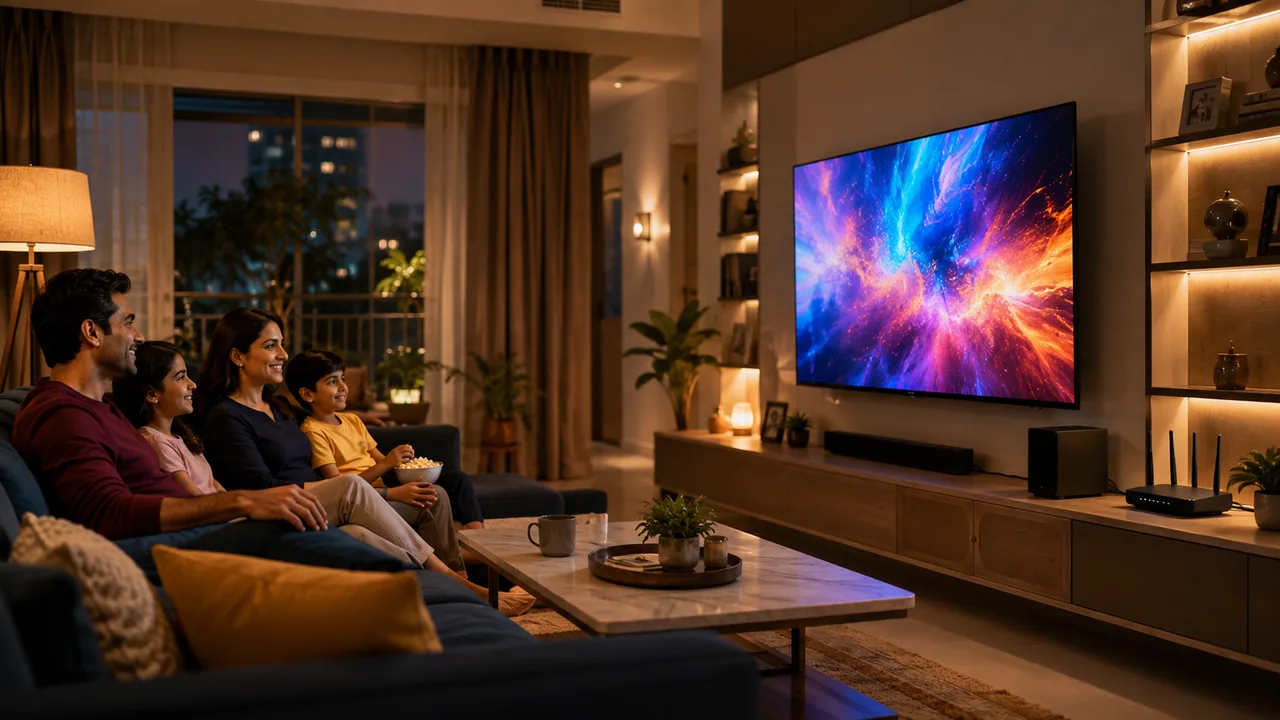
Gaming quality is not only Mbps
Latency, jitter, packet loss, server route and local Wi-Fi stability influence online play. Higher speed mainly adds download capacity and room for other household traffic.
Wire the main gaming device where possible
Ethernet removes radio interference from the local path. If Wi-Fi is required, use a strong nearby 5 GHz connection or a properly placed access point.
Plan simultaneous entertainment
Multiple 4K streams, game downloads and cloud backups can compete. A 200 or 300 Mbps tier offers headroom, while scheduling the largest transfers can improve consistency.
Detailed checks for Gaming and streaming broadband in Indra Enclave
Separate slow game downloads from match lag when reporting a problem. They have different causes and require different evidence.
Test more than one game or service before blaming the broadband line. A single distant server can have a poor route while ordinary connectivity remains healthy.
Keep consoles, televisions and fixed computers updated, but avoid scheduling several large updates immediately before an important match or event.
Property and network context in Indra Enclave
Independent houses, extensions and builder floors can be spread across lanes with different entry routes. A landmark and map pin make the feasibility check more precise.
Indra Enclave address descriptions should include the lane, house number, floor and a Chhattarpur-side landmark. Extensions and independently numbered properties can be difficult to identify from the locality and PIN alone. A map pin, entrance photograph shared privately with the installer when requested, and an available contact can reduce wasted survey time.
Independent and builder-floor properties should decide where the fiber enters before the visit. A cable route chosen only for convenience may place the router at an outer wall, reducing coverage toward the interior. Identify the rooms used for office work, television and cameras so the equipment point supports the actual household pattern.
After installation, save the plan and customer details and perform a basic test in the important rooms. If a later issue affects only a rear room, do not report the whole connection as down. If every device loses access and the equipment indicators change, provide that specific information to support along with the time it occurred.
Nearby reference points and service localities include Chhattarpur, Chhattarpur Extension, Rajpur Khurd and the South Delhi service belt. They help describe the location, but the provider must still check the requested property independently.
A practical Indra Enclave scenario
For Gaming and streaming broadband in Indra Enclave, imagine the busiest normal period at the Indra Enclave property. Record active users, fixed devices, work or study rooms, large transfers and any floor that needs dependable coverage. Then compare that demand with the chosen speed and router position. This combined record is more useful than selecting a plan from the locality name or one speed test. Because the premises is in PIN 110074, include house number, lane, floor, nearest Chhattarpur-side landmark and map pin when requesting feasibility; nearby coverage around Chhattarpur, Chhattarpur Extension, Rajpur Khurd and the South Delhi service belt remains context rather than a guarantee.
Fiber Link Broadband plans and listed prices
These prices come from the supplied website and support comparison. Reconfirm billing duration, taxes if applicable, installation, router arrangement, renewal and promotional terms for the actual order.
| Speed | Monthly price | Typical fit | Important note |
|---|---|---|---|
| 100 Mbps | ₹499 | Smaller homes and routine use | Check simultaneous activity |
| 200 Mbps | ₹699 | Families, shared flats and PGs | Use a capable dual-band router |
| 300 Mbps | ₹799 | Heavy multi-device use | Plan access points for large properties |
| 500 Mbps | ₹1,699 | Very high-demand homes or offices | Confirm every network component |
From enquiry to activation
- Send the complete address, floor, landmark and map pin.
- Describe the property type, important rooms and access restrictions.
- Wait for exact-building fiber and route confirmation.
- Select speed from simultaneous use, not only the number of devices.
- Confirm recurring price, first payment, installation and equipment terms.
- Arrange authorised access and a reliable power point.
- Test close to the router and at the priority room after activation.
WiFi coverage and equipment
Keep the router open, elevated and reasonably central. Use 5 GHz on compatible nearby devices when higher local performance is useful, and 2.4 GHz where reach is more important. Large, long or multi-floor premises may require Ethernet-connected access points or a planned mesh system. A faster plan cannot correct every physical coverage problem.
Report problems with useful evidence
State whether one device, one room or all devices are affected. Record the time and router or optical-unit lights, then test close to the router. Where practical, a wired test on capable equipment helps distinguish the incoming connection from wireless coverage. Keep the registered number and plan details ready for support.
Gaming and streaming broadband in Indra Enclave booking worksheet
Booking worksheet 74: for Gaming and streaming broadband in Indra Enclave, write the Indra Enclave 110074 property details in one place: house or building name, lane, floor, landmark, map pin, property type and authorised contact. Next, create a gaming, work, students & pgs requirement list showing active users, important rooms, fixed wired devices, expected peak-hour activity and any access restriction. Ask Fiber Link Broadband to confirm the selected speed, recurring price, first payable total, router arrangement, installation route and appointment window against that same worksheet. After activation of Gaming and streaming broadband in Indra Enclave, record a capable-device result near the router and another result at the main work, study or entertainment location. Keeping this Indra Enclave-specific record makes later support, renewal and upgrades easier because the household can explain what changed instead of starting again with only a general speed complaint.
Call 9971524677 or send the address on WhatsApp. Availability and timing are confirmed after the premises check.
More Indra Enclave broadband guides
- Internet connection near me in Indra Enclave
- Broadband provider near me in Indra Enclave
- Same-day WiFi installation in Indra Enclave
- New fiber connection cost in Indra Enclave
- Apartment WiFi connection in Indra Enclave
- Broadband for apartments and societies in Indra Enclave
- Broadband plans and prices in Indra Enclave
- 300 Mbps fiber plan in Indra Enclave
- 500 Mbps broadband plan in Indra Enclave
- Work-from-home WiFi in Indra Enclave
- Student and PG WiFi in Indra Enclave
- Indra Enclave coverage page
- All broadband plans
- Internet speed test
Frequently asked questions
Which speed is good for gaming and streaming?
Many homes can use 200 Mbps; heavier multi-user activity may benefit from 300 Mbps, while latency and Wi-Fi stability still matter.
Is Gaming and streaming broadband in Indra Enclave available everywhere in Indra Enclave?
No blanket promise is made. Send the house number, lane, floor, nearest Chhattarpur-side landmark and map pin for an exact fiber feasibility check.
Which plan prices are listed?
The supplied site lists 100 Mbps ₹499, 200 Mbps ₹699, 300 Mbps ₹799 and 500 Mbps ₹1,699 per month. Confirm current terms.
Does faster broadband fix a weak room?
Not automatically. Router position, walls, floors and device capability affect indoor Wi-Fi coverage.
How can I contact Fiber Link Broadband for Indra Enclave?
Call or WhatsApp 9971524677 with the full address, floor, landmark and map pin.
Conclusion
Choose gaming broadband around stability and your household’s simultaneous use. Test the game on a suitable wired connection before deciding that more bandwidth is the solution.