
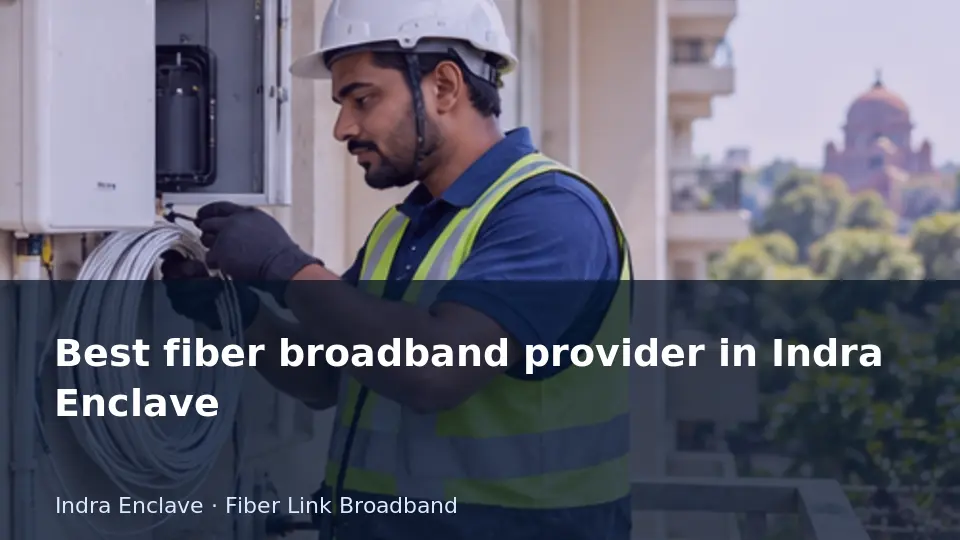
Fault handling depends partly on who supplies and manages the terminal, router and added access points. Ambiguous ownership can delay repairs.
This guide is for readers planning or reviewing a connection in Indra Enclave. It separates the decision you can make now from details that need an address-specific reply. The examples describe checks you can perform or discuss with the installer; they are not reports of a customer installation, measured local speeds or a promise that every nearby building is serviceable.
Compare evidence rather than marketing labels
Provider selection is easier when every candidate receives the same brief. Supply the exact address, intended billing period, essential rooms and simultaneous activities. Ask for a clear feasibility response and a quotation that includes equipment and installation scope. A generic locality page or a nearby customer's connection can inform the enquiry but cannot settle whether your particular premises is ready for service.
Evaluate the support process alongside the commercial offer. Find out how faults are logged, who provides updates and which equipment the provider manages. A local contact can be useful, but the process should not depend entirely on reaching one person informally. Avoid unsupported rankings such as fastest or best when the available evidence is only one test or an advertisement. Your decision can instead be specific and defensible: the address was confirmed, the terms were clear, the required workload was understood and the support arrangement was acceptable. Save the documents that support those conclusions for the eventual installation and renewal review.
Build a quote you can compare
Begin with the period you actually intend to use the service. A monthly equivalent, a fixed validity period and a calendar-month bill are not interchangeable. For each offer, list the service charge, applicable taxes, setup work, equipment payments and the amount due at renewal. Show refundable security separately from non-refundable expenditure so the first payment does not get confused with the long-term cost.
Next, record what happens when circumstances change. Ask about upgrades, relocation, cancellation, equipment returns and unused validity. These conditions are provider-specific and should be obtained with the quote instead of inferred from another customer's experience. If a promotion has an expiry or eligibility rule, keep it beside the advertised benefit. A useful decision compares equivalent scope over equivalent time. It also asks whether the package meets the actual workload and whether an indoor-network improvement would be more relevant than a recurring speed upgrade. Keep the written quotation and receipt together for later billing questions.
Choose apartment broadband with building access in mind
- Decision context
A provider may operate nearby yet need permission to use the apartment's shared route. Equipment placement and access can matter as much as the subscription.
- Evidence to collect
Check the permitted entry path and ask the provider to confirm your unit before comparing longer billing commitments.
Compare a fiber provider's installation handover
- Decision context
A clear handover should leave the customer able to identify equipment, report a fault and understand the bill. That practical detail matters after the sales conversation ends.
- Evidence to collect
Ask what records and tests the installer will provide, including the service identifier and equipment responsibility.
Check cancellation as carefully as connection terms
- Decision context
The exit process is part of choosing a provider, especially for rented premises. Know what notice, return and final-payment steps may apply.
- Evidence to collect
Ask for the closure procedure in writing and store it with the signup record for later use.
Judge local reliability using a support record
- Decision context
A reliable-provider claim should be tested against clear service terms and observed experience. A locality keyword or a maximum speed result is weak evidence by itself.
- Evidence to collect
Ask about fault reporting and keep dated records of your own connection rather than treating a general slogan as proof.
Use a trial period to assess a provider sensibly
- Decision context
If a shorter initial commitment is offered, use it to observe ordinary usage rather than repeatedly chasing maximum test numbers. Test the conditions that matter to you.
- Evidence to collect
Record busy-hour behaviour, room coverage and support experience and review them before taking a longer package.
Ask a provider how it separates line faults from WiFi faults
- Decision context
The outside connection and the indoor wireless network need different checks. A useful support process explains how it distinguishes them.
- Evidence to collect
Ask whether support begins with a wired baseline and what help is included for room coverage or customer-owned equipment.
Read terminal lights before reporting a fiber fault
- Decision context
The optical terminal's indicators can provide useful clues, but labels vary by model. A clear photo and the equipment model help support interpret them.
- Evidence to collect
Report the indicator labels and colours without unplugging or looking into the optical connector; follow the provider's instructions.
Ask what a fast-installation promise depends on
- Decision context
An early slot still depends on address feasibility, equipment and access. A requested time should not be treated as a guarantee before the provider confirms it.
- Evidence to collect
Ask which checks are outstanding and when you will receive a confirmed appointment.
Read the conditions behind a free-router offer
- Decision context
Free can describe a promotional benefit while security or return obligations still apply. The site's router terms should be read alongside the offer.
- Evidence to collect
Ask whether security is refundable, who owns the router and whether a minimum subscription period applies.
Avoid adding repeaters without a coverage plan
- Decision context
Several repeaters can create overlapping networks and extra wireless hops. More equipment does not necessarily create a more stable connection.
- Evidence to collect
Map the dead spots and identify a strong backhaul location for each added unit; prefer a planned access-point layout.
Read a prepaid renewal date before paying
- Decision context
Prepaid service depends on the purchased validity period, which is not always identical to a calendar month. Know the date on which service or benefits expire.
- Evidence to collect
Ask for the validity period, renewal process and any grace arrangement in writing; save the receipt with the account reference.
Check the router before upgrading a busy household
- Decision context
A router can struggle with many active sessions even when the fiber line has enough capacity. Firmware, radio placement and connected equipment deserve attention before a purchase.
- Evidence to collect
Compare a wired device with wireless devices during the same busy period and retain the router model in your notes.
Plan around the building's allowed work hours
- Decision context
A provider's appointment window may not match the times when a building permits cable work. Resolve that mismatch before reserving the visit.
- Evidence to collect
Check the access window with the responsible person and have the provider confirm a compatible slot.
Separate installation labour from equipment security
- Decision context
Free installation does not necessarily mean no first-day payment. Router security, additional cable work or other agreed items may have separate terms.
- Evidence to collect
Request an itemised quote showing which payments are refundable and which are charges for completed work.
Keep the old connection until the new one is tested
- Decision context
A change of provider can leave a gap if the previous service is cancelled before the replacement works. Plan the transition around an actual activation test.
- Evidence to collect
Where practical, overlap the services briefly and verify your essential devices before closing the old account.
Ask about unused prepaid validity when changing plans
- Decision context
An upgrade during an active period can involve proration, a fresh validity period or other provider-specific terms. Do not assume the unused days transfer automatically.
- Evidence to collect
Request the new start date, expiry date and credit calculation before approving the change.
Prepare a complete first booking message
- Decision context
An incomplete enquiry creates repeated calls before feasibility can be assessed. Give the provider enough address and access information to start the check.
- Evidence to collect
Include building, lane, floor, map pin and preferred contact time; ask for a written confirmation rather than assuming the booking is accepted.
Use the guide for your address
For Indra Enclave, send Fiber Link Broadband the complete building address, floor and map pin when requesting feasibility or a current quotation. Mention the particular requirement covered by this article so the reply can address your use case. Ask for the service scope, equipment responsibilities and complete payable amount in writing. Retain the response alongside your installation or support record, and revisit any unanswered point before committing to a longer payment period.
Contact 9971524677 or 9990881098. Review the published plan information and request an address check. Current availability and terms need confirmation.
All Fiber Link broadband plans
Compare the monthly plans listed on our broadband plans page.
| Plan | Speed | Monthly price | Included benefits | Availability |
|---|---|---|---|---|
| Fiber Start | 100 Mbps | ₹499/month | Unlimited data, free installation, 24×7 customer support | Enquire |
| Fiber Plus | 200 Mbps | ₹699/month | Unlimited data, free installation, 24×7 priority support | Enquire |
| Fiber Pro | 300 Mbps | ₹799/month | Unlimited data, free installation, 24×7 priority support | Enquire |
| Fiber Ultra | 500 Mbps | ₹1,699/month | Unlimited data, free installation, 24×7 priority support | Enquire |
Router and billing terms: 5G dual-band Wi-Fi router refundable security applies. Confirm the deposit, applicable taxes, billing period, complete first payment and installation feasibility for your address before booking. Terms apply.
Business leased line: Custom bandwidth, equal upload and download speeds, SLA-backed uptime, static IP options and priority local support. Call 9971524677 for a custom quote.